


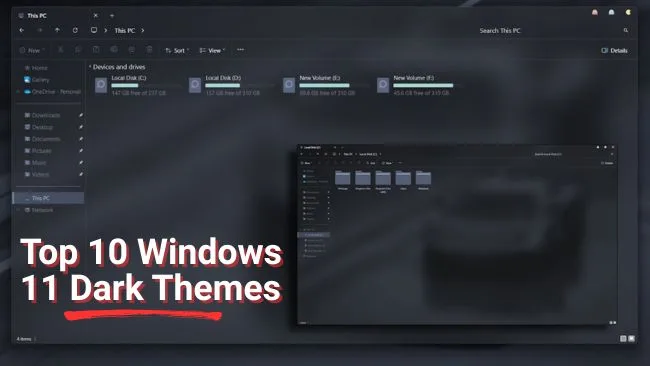

Windows 11 ships with a built-in dark mode, and a third-party dark theme for Windows 11 goes further by restyling the window frames, the taskbar and File Explorer. Every theme below is a free download, and each entry names its author, its last update and the Windows 11 builds it claims to support.
Know this before you start: the build you run decides which themes are safe. Windows 11 version 26H1 reached general availability on February 10, 2026, and 25H2 on September 30, 2025, according to Microsoft’s release information page. SecureUxTheme, the open-source patcher most theme authors point to, lists support for Windows 11 from RTM through 24H2 in its own README. A visual style written for 22H2 can misbehave on a newer build, which is why the table below records what each author states.
Which Windows 11 Dark Theme Should You Download?
Current as of September 2026. Ten Windows 11 dark themes follow, and every download link was checked this month. One theme from the 2025 version of this list, Cleodesktop’s Windows 11 Dark on DeviantArt, now returns a 404 and has been replaced by the same studio’s Full Black Theme from its own site.
Start with the built-in dark mode if you want zero risk. Pick a third-party visual style only when you want the window chrome dark as well, and match it to your build. Eight of the ten styles below are the work of one designer, niivu, whose own DeviantArt gallery is gated to watchers: the downloads are free, but you need a DeviantArt account that follows the artist. Four of those styles are also mirrored on VSThemes, which is the link the 2025 list used and the one kept here.
Theme | Author | Download from | Last update stated | Builds stated | Needs a patcher |
|---|---|---|---|---|---|
Built-in dark mode | Microsoft | Settings app | Ships with Windows | All | No |
BIB3 | niivu | VSThemes | Not stated | Windows 11 and 10 | Yes |
Tokyo Night | niivu | DeviantArt (watchers) | July 2023 | Windows 11 | Yes |
Full Black Theme | Cleodesktop | cleodesktop.com | February 17, 2026 | 21H2 to 26H1 | Yes |
macOS for Windows 11 | niivu | DeviantArt (watchers) | April 10, 2025 | Windows 11 | Yes |
Nux | niivu | VSThemes | September 25, 2021 | Windows 10 and 11 | Yes |
Minimalism (8230F) | grayhouse | VSThemes | Not stated | Windows 11 | Yes |
Andromeda | niivu | VSThemes | December 6, 2023 | Windows 11 | Yes |
Rosé Pine | niivu | VSThemes | March 30, 2023 | Windows 11 22H2 | Yes |
YARU | niivu | DeviantArt (watchers) | May 2025 | Windows 11 | Yes |
SynthWave ’84 | niivu | DeviantArt (watchers) | August 2023 | Windows 11 | Yes |
Source: each theme’s own download page on VSThemes, DeviantArt or cleodesktop.com, checked September 2026.
Benefits of Using Dark Themes
Two of the usual claims hold up, and one deserves a caveat.
- Comfort in low light. Microsoft describes its own dark mode as “easier on the eyes in low-light conditions” on the Change colors in Windows page. That is a comfort claim, not a medical one, and it matches how most people use it: at night, in a dim room.
- Battery savings on OLED, with a catch. A Purdue University study measured OLED screens and found dark mode saves only 3 to 9 percent of display power at 30 to 50 percent brightness, but 39 to 47 percent at full brightness. On an OLED laptop, a dark theme pays off outdoors or with brightness cranked up. On an LCD, the backlight stays lit either way.
- Consistency. Windows 11 dark mode covers Settings, File Explorer and modern apps. A full visual style extends that to title bars, buttons and the taskbar, which is the part the built-in toggle leaves alone.
Claims about sleep quality are harder to pin to a source, so this version of the list drops them. Pick a dark theme because you prefer it, and treat the battery gain as a bonus that depends on your screen.
How to Enable Dark Mode in Windows 11
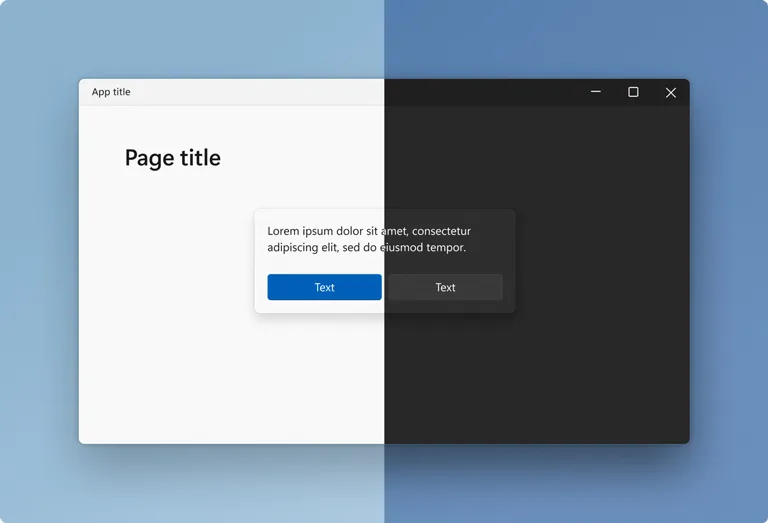
Turn on the built-in Windows 11 dark mode theme before installing any third-party style. Most of the styles below assume it is on, and it is the one step here that carries no risk.
- Right-click the desktop and choose Personalize, or open Settings and select Personalization.
- Open Colors.
- Under Choose your mode, select Dark. Custom lets you keep Windows dark while apps stay light, or the reverse.
Those are the steps Microsoft documents, and the change applies immediately. If the toggle is grayed out or a policy keeps resetting it, the same switch lives in the registry. Save the following as a .reg file and double-click it. The two values are the ones the Settings toggle writes: 0 means dark, 1 means light.
Windows Registry Editor Version 5.00

[HKEY_CURRENT_USER\SOFTWARE\Microsoft\Windows\CurrentVersion\Themes\Personalize]
"AppsUseLightTheme"=dword:00000000
"SystemUsesLightTheme"=dword:00000000
Want a Windows 11 Black Theme Instead of Dark Gray?
Dark mode is charcoal, not black. Windows 11 also ships contrast themes, which repaint the whole interface in flat, high-contrast colors, including true black backgrounds. Open Settings, then Accessibility, then Contrast themes, pick one from the drop-down and select Apply. Microsoft’s contrast themes page also documents the shortcut: Alt + left Shift + Print Screen toggles the current contrast theme on and off. The look is stark, so if you want black without the accessibility styling, the Full Black and Nux entries below are the third-party route.
For wallpaper-and-accent packs that need no patching at all, open Settings, Personalization, Themes and select Browse themes. That button opens the Windows themes collection in the Microsoft Store, as described on Microsoft’s personalize with themes page. Those packs change the background, colors, sounds and cursor, never the window chrome.
Before You Install a Third-Party Theme
Windows only loads visual styles signed by Microsoft. Every third-party theme below therefore needs a patcher that lifts that restriction. SecureUxTheme is free and open source, describes itself as a program that removes signature verification of styles, and lists Windows 11 support from RTM through 24H2. VSThemes and Cleodesktop instruct readers to use UltraUXThemePatcher instead; Cleodesktop states its themes work through 26H1. Either way, you are modifying how the shell loads system files, not changing a wallpaper.
- Create a restore point first. Press Start, type Create a restore point, open System Protection and select Create. VSThemes carries the same advice on every theme page for a reason.
- Match the theme to your build. Check Settings, System, About for your version, then compare it with what the theme page states. A style built for 22H2 is a gamble on 25H2 or 26H1 unless the author says otherwise.
- Expect add-on tools. The screenshots you see on theme pages combine the visual style with icon packs (7tsp), a taskbar and Start menu tool (StartAllBack), and an Explorer tweak (OldNewExplorer). The theme alone changes less than the preview suggests.
- Know the way back. If the shell breaks after applying a style, boot into Safe Mode, switch back to the default Windows theme, then uninstall the patcher.
Top 10 Dark Themes for Windows 11
These are the ten best dark themes for Windows 11 we would install today, ordered by how well they hold up. Each one works with the built-in dark mode switched on, and most ship a light variant if you switch back and forth.
#1 BIB3
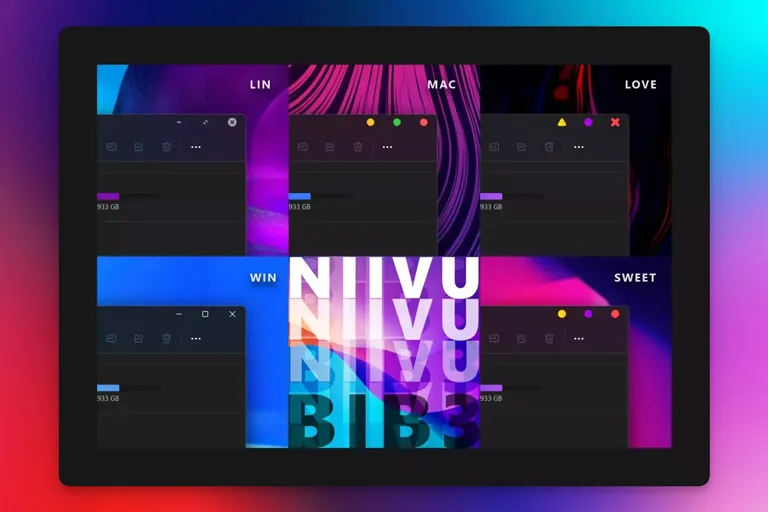
BIB3 is the third version of niivu’s signature dark style, and it remains the easiest starting point. The window header keeps the translucent Fluent effect, corners stay rounded, and the caption buttons come in gray, white or macOS-style circles, so it looks like Windows 11 with the lights turned down rather than a different operating system. The wallpaper set runs from red to purple. VSThemes lists it as compatible with Windows 11 and Windows 10, without naming a specific build.
#2 Tokyo Night
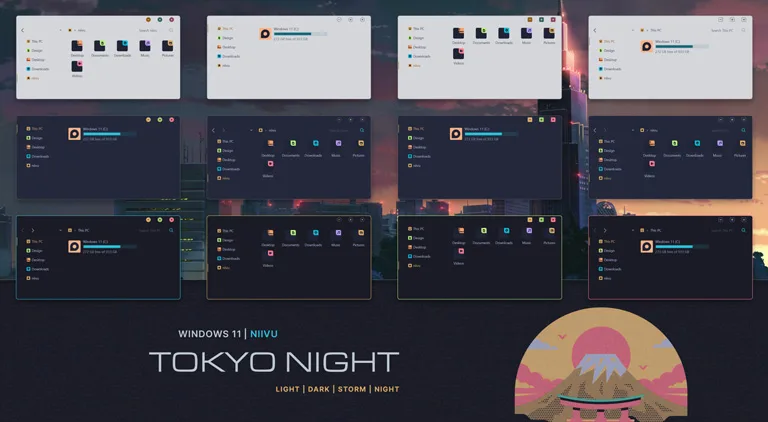
Tokyo Night takes its palette from the lights of downtown Tokyo after dark, and niivu’s package is one of the largest here: 40 themes across Light, Dark, Storm and Night modes, four caption-button styles and a matching 7tsp icon theme. Published in July 2023, it has drawn more than 200,000 views on DeviantArt. The download sits in niivu’s watchers-only gallery, so sign in and follow the artist before the button appears.
#3 Full Black Theme by Cleodesktop
Cleodesktop’s Full Black Theme is the answer to “Windows 11 black theme” searches: a true black interface rather than charcoal. It is the most current entry on the list, updated February 17, 2026, and its page states support for Windows 11 21H2 through 26H1 on both x64 and x86. The download includes six variants (Windows-style and Mac-style caption buttons, each with a black, gray or hidden address bar), two icon packs, and DPI scaling from 100 to 250 percent.
Cleodesktop’s install notes require UltraUXThemePatcher and OldNewExplorer. Its earlier Windows 11 Dark theme on DeviantArt, which this list linked in 2025, has been removed.
#4 macOS for Windows 11
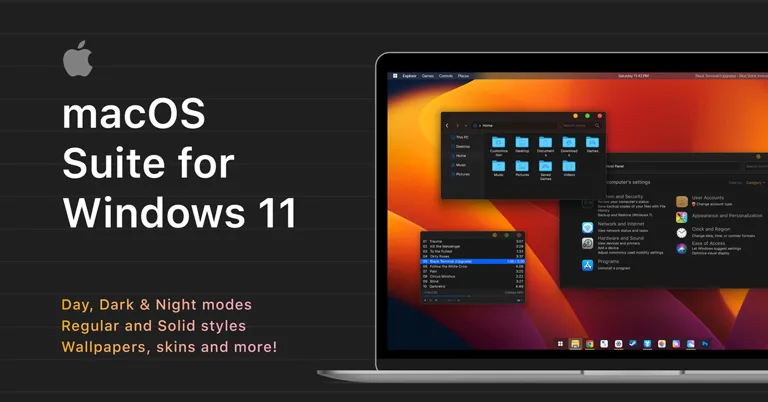
For anyone who wants a Mac desktop on PC hardware, niivu’s macOS for Windows 11 is the most complete port on this list, and it was updated April 10, 2025. The full package holds four day themes, four dark themes and four night themes, regular or solid Explorer views, two Chrome and Edge themes, foobar2000 skins, Start orbs for StartAllBack, and a 7tsp icon theme. The preview images use a Rainmeter top bar and macOS-style icons, so budget an evening for the add-ons if you want the screenshot look.
#5 Nux
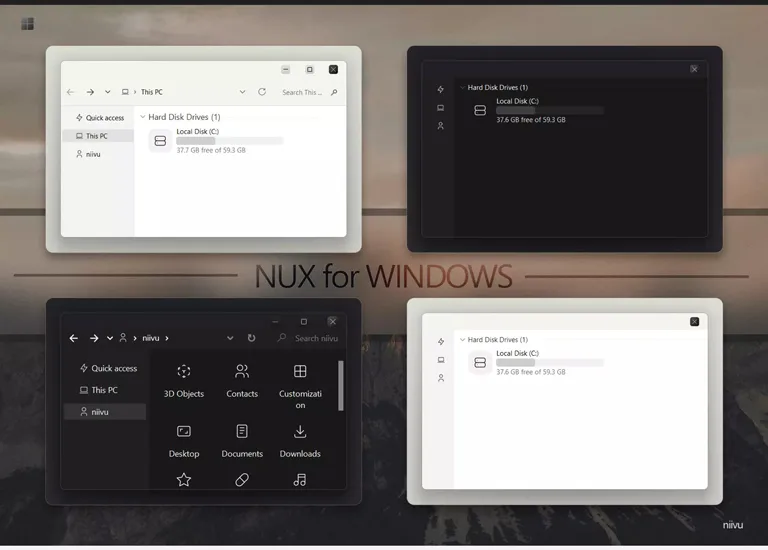
Nux is an almost entirely black theme with a few bright accents, offered in six color options that each pair with their own wallpaper. It is also the oldest entry here: VSThemes dates the last update to September 25, 2021, when niivu refreshed it for the Windows 10 and 11 builds of the time. On a 2026 build, install it with a restore point in place and expect to test rather than assume. If you want black without that uncertainty, the Full Black Theme above is the newer choice.
#6 Minimalism
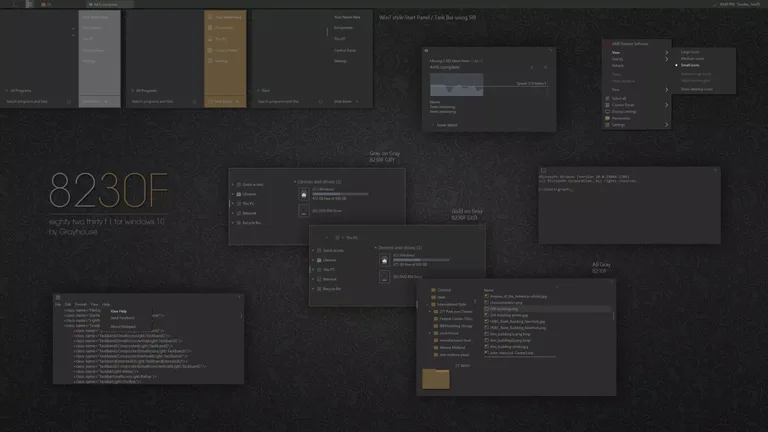
Minimalism is what it says: a flat dark style with a touch of gold in a few controls and very little else competing for attention. The VSThemes page carries almost no description, only the archive, which is named 8230F and credited to grayhouse, so treat it as an unknown quantity compared with niivu’s documented packages. It suits a desktop where the wallpaper does the talking.
#7 Andromeda
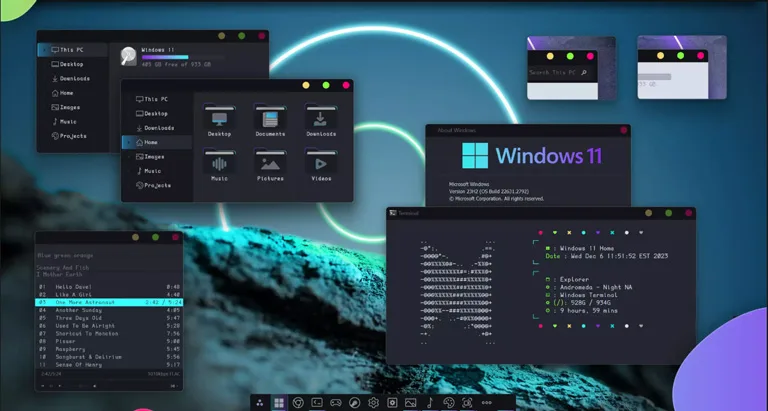
Andromeda is not a fully dark theme. It keeps the Windows 11 dark mode as its base and then adds saturated accent colors to icons and the window-management buttons, which is either the point or too much, depending on taste. The VSThemes archive is niivu’s Andromeda 11 build dated December 6, 2023. If you like the Tokyo Night palette but want more color, this is the one to try.
#8 Rosé Pine
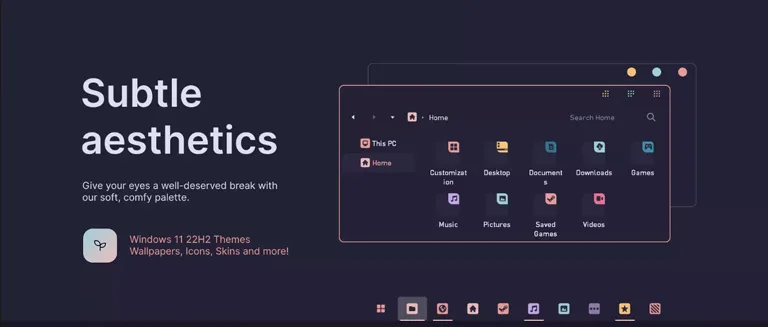
VSThemes labels this one “Pink Pine”, but the archive is niivu’s Rosé Pine for Windows 11 22H2, dated March 30, 2023, and the palette is the Rosé Pine scheme that developers know from their editors: muted pink against deep pine green. The set holds 20 palettes, including Rosé Pine, Dawn, Moon and night variants, two caption-button styles, 7tsp icon themes with SVG sources, browser themes for Chrome, Edge and Firefox, and Rainmeter resources. Note the build in the file name; the author wrote it for 22H2.
#9 YARU for Windows 11
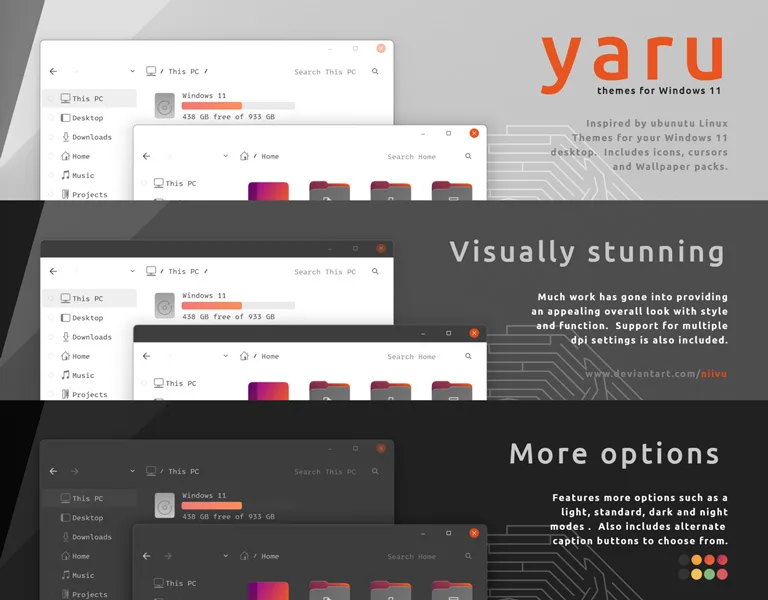
YARU ports Ubuntu’s default look to Windows 11, and it is a full suite rather than a single style: themes, icons, cursors, wallpapers and a set of caption-button alternatives (Ko-Z, macOS and a bare “nude” option for minimalists). niivu credits the Ubuntu design community for the inspiration and updated it in May 2025. The 2025 version of this list called it a $2 theme by “numi”; both were wrong. It is by niivu, and like the rest of niivu’s Windows 11 gallery it is free to watchers on DeviantArt.
#10 SynthWave ’84 for Windows 11
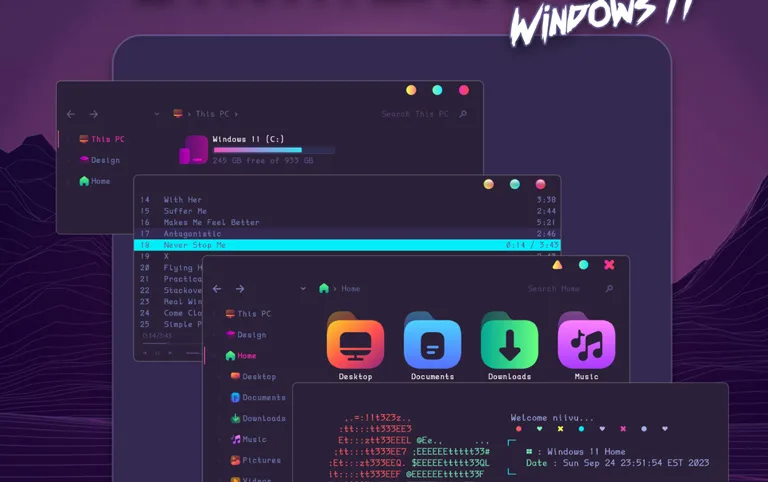
SynthWave ’84 is the loud one: neon pinks and cyans over dark gradients, with colors taken from the VS Code theme of the same name. niivu labels these dark and night modes experimental, and the package holds 16 themes, four caption-button choices, a StartAllBack theme for the taskbar and Start menu, a 7tsp icon theme, a foobar2000 skin and wallpapers. Published in August 2023, it is the most-viewed of niivu’s entries here at more than 300,000 views. If you do not want a retro-arcade desktop, choose a standard dark theme instead.
How to Install a Windows 11 Dark Theme
Every Windows 11 dark theme download on this page is an archive, not an installer. Individual packages differ in their add-ons, but the visual style itself installs the same way on every theme above. VSThemes and Cleodesktop publish the same sequence on their download pages.
- Create a restore point, then install a patcher (SecureUxTheme or UltraUXThemePatcher) and reboot if it asks.
- Download the theme archive from the link under its entry. Extract the ZIP or RAR file into a folder.
- Copy the .theme files and the folder holding the .msstyles file into C:\Windows\Resources\Themes.
- Right-click the desktop, choose Personalize, open Themes and select the new theme.
- Install the add-ons the author lists (icon packs, StartAllBack, OldNewExplorer) only if you want the full preview look. Each is a separate program with its own uninstaller.
Download only from the author’s page or the two mirrors linked here. A theme archive that arrives as an installer asking for unusual permissions is a reason to stop.
Windows 11 Dark Theme FAQ
Can I download a dark theme for Windows 11 for free?
Yes. The built-in dark mode needs no download, and every third-party theme on this list is free. niivu’s DeviantArt downloads require a free account that watches the artist, and Cleodesktop sells optional icon packs alongside its free theme. None of the ten charges for the theme itself.
How do I get a Windows 11 black theme rather than dark gray?
Without patching anything, apply a contrast theme from Settings, Accessibility, Contrast themes. For a black interface that keeps the normal Windows 11 styling, install Cleodesktop’s Full Black Theme or niivu’s Nux, both of which need a patcher.
Do third-party themes work on Windows 11 24H2, 25H2 and 26H1?
It depends on the theme and the patcher. SecureUxTheme’s README lists Windows 11 support through 24H2. Cleodesktop states its Full Black Theme works from 21H2 through 26H1 with UltraUXThemePatcher. niivu’s packages and the VSThemes mirrors mostly date from 2023 to 2025 and name no build beyond 22H2, so test them behind a restore point on a newer release.
Are third-party Windows 11 themes safe?
The themes linked here come from their authors or from two long-running mirrors, and VSThemes marks every page with a warning that the files can disrupt a system. The risk is a broken shell after a bad patch, not malware, provided you download from these sources. A restore point turns that risk into a ten-minute rollback.
How do I remove a Windows 11 theme if something breaks?
Open Settings, Personalization, Themes and apply one of the default Windows themes. If the desktop will not load, boot into Safe Mode, apply the default theme there, uninstall the patcher, and delete the copied files from C:\Windows\Resources\Themes. Restoring the restore point you created undoes all of it at once.
Does a dark theme save battery on a laptop?
Only on an OLED screen, and mostly at high brightness. Purdue University measured savings of 3 to 9 percent at 30 to 50 percent brightness and 39 to 47 percent at full brightness on OLED phones. An LCD laptop keeps its backlight on regardless of what color the pixels show.
Is a Third-Party Windows 11 Dark Theme Worth It?
For most people, the built-in dark mode plus a contrast theme or a Microsoft Store pack covers what they wanted, with nothing to patch and nothing to roll back. A third-party visual style is worth it when the light title bars and taskbar are the thing that bothers you, and that is exactly what these ten fix. The decision that outranks taste is your build: on 25H2 or 26H1, favor a theme whose page names your version, which today means Cleodesktop’s Full Black Theme, and treat the 2023-era niivu styles as a test behind a restore point.
The best dark theme for Windows 11 depends on how far you want to go. BIB3 and Minimalism darken Windows 11 without redrawing it, Tokyo Night and Rosé Pine bring a palette, and macOS for Windows 11 and SynthWave ’84 turn the desktop into something else entirely. Whatever you pick, create the restore point first, and if you are still on Windows 10, our Windows 10 dark themes list covers that side.

Leave a comment
Have something to say about this article? Add your comment and start the discussion.